• So this one time, I changed my Twitter username…

    …and I didn’t tell Tweetie about it.

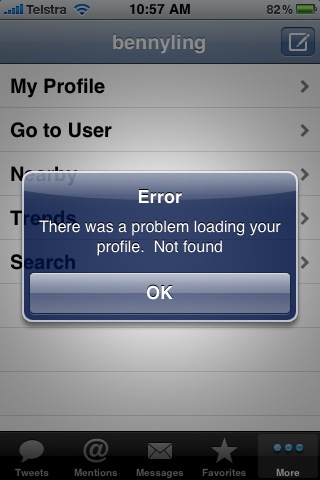
    What resulted was the screenshot above – Tweetie said it couldn’t find my profile, which was fair enough.

    I updated my account details in Tweetie, refreshed, and that was that.

    Not quite sure why I took a screenshot of it, though.

    Posted via email from Benny’s randomly-updated Posterous

  • Windows 7 Shenanigans

    …well, that didn’t go as planned.

    What happened yesterday was completely different to what I actually thought (or had planned) to happen. My original, original plan was to move as much freshbytes stuff over to here as possible, but then I decided to use my time more wisely and play Dragon Age: Origins instead. 😀

    If only that had been what actually transpired.

    You see, I have this file system scheme with my Windows machine where as much as possible is moved off the OS drive. As I format my machines regularly, it just makes sense to dedicate a hard drive to Windows, and have two 1TB drives for storage – one for installed programs (okay, just Steam) and another for all my media, legally acquired or otherwise.

    The way that it worked before I decided to play with it was that my User folder was on my OS drive, but the Documents, Videos and Pictures folders underneath that were moved to the Program drive. Truth be told, there’s nothing wrong with this setup.

    However, I must make a special mention to those developers who think a special hidden folder in my User folder is an excellent place to store save games and other important info. Usually games store their save information, profiles etc, in either their own program folder, or under the Documents folder, or even under the My Games folder in the Documents folder. Such is the case with games like Dragon Age, BioShock, TrackMania, Rainbow 6 Vegas (1 and 2), and so on. There are certain games, however, that decide the hidden folder AppData is an excellent place to store this information instead, and without naming names, we’ll just say that a certain indie physics puzzler inolving Goo and a recent driving arcade game involving Paradise are the main culprits here.

    Continue Reading

  • Spotted at UTas, Part II

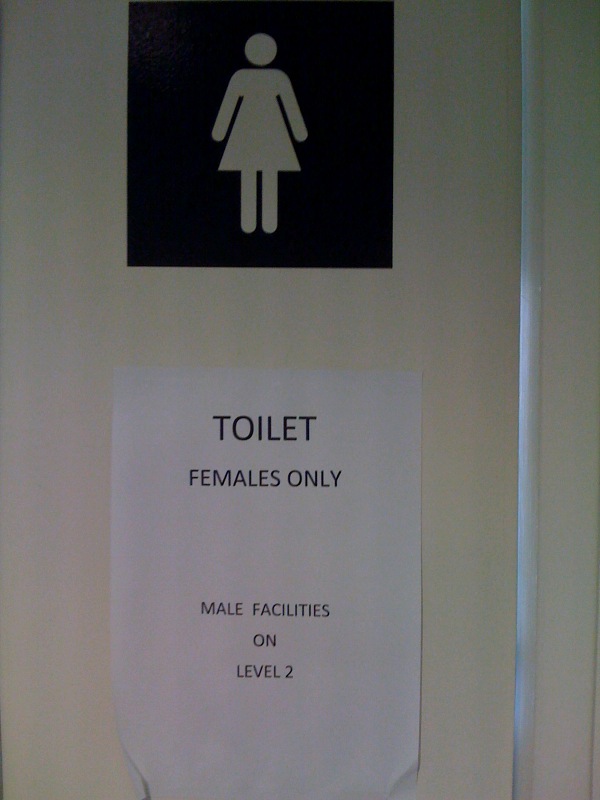
    Not surprisingly, this was on a ladies toilet door in the IT building.

    There are two possibilities why it’s there: a, for the international students who maybe done recognise what the female sign is, or b, for the dull-witted IT students who have stayed up all night doing their assignments, or have crammed for exams.

    Either way, it’s pretty hilarious, no?

    Posted via email from Benny’s randomly-updated Posterous

  • Expanded Li-Ion Battery. Do. Not. Want.

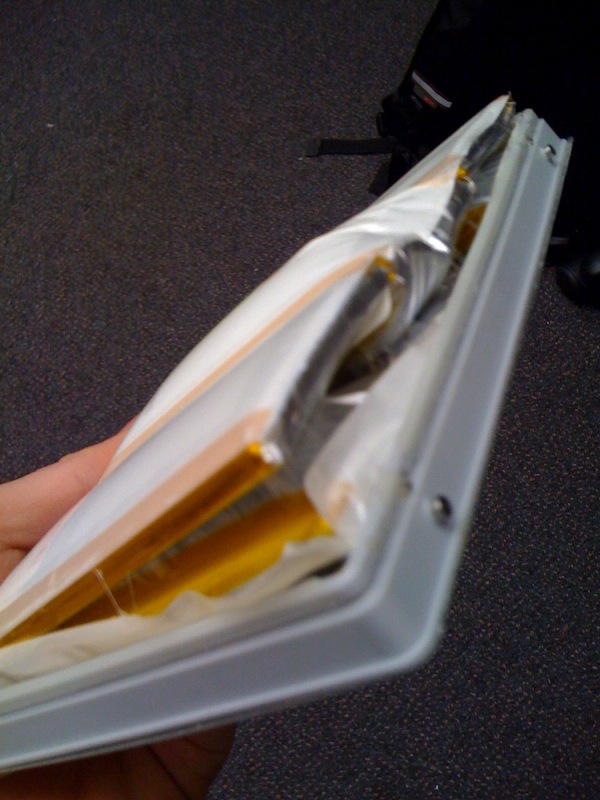
    Thankfully, not mine – it was some poor customer’s battery from their MacBook Pro.

    The expansion itself is pretty impressive – normally those batteries are no more than an inch thick, but this apparent expansion was enough to pop-off the cover of this battery – no mean feat, let me tell you.

    Anyway. There’s an expanded Li-Ion battery for you.

    Posted via email from Benny’s randomly-updated Posterous

  • Authentication Challenge

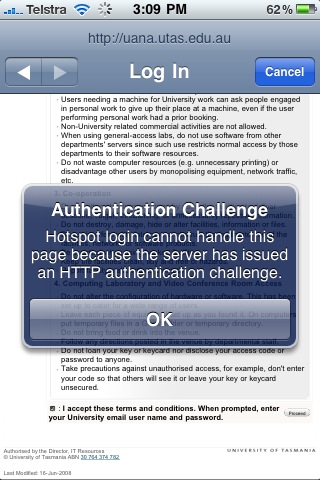
    I had an issue a while back which prevented me from logging in to my Uni’s wireless network because of the proxy they use. HTTP authentication issues were driving me up the wall, so I had to find a workaround…

    The issue was that the 3.0 version of iPhone software provided new facilities to automatically login into wireless hotspots, but because of the way that UTAS handled Wi-Fi authentication (via HTTP), it lead to some sort of conflict between the two, resulting in me not being able to use the Uni’s Wi-Fi, and one very frustrated Benny. It was suggested that I upload an iPhone configuration profile to my device from the iPhone Configuration Utility, but I had absoloutely no idea how to do so to workaround the Wi-Fi issue.

    …and find a workaround I did. After much internet research (read: Googling, complaining on Twitter), I found others who had the exact same issue, and one internet commentator in particular suggested an app which actually broke 3.0’s auto-hotspot-login functionality, which then allowed me to login as per pre-3.0. Somewhat ironically, the app itself was designed to assist in logging into wireless hotspots. It certainly assisted me, but probably not in the way the original creators intended…

    Breaking functionality to make somethig work? Who would’ve thought? I’m sure there’s an official way to do it out there, but as for me – if it ain’t broke, don’t fix it! 🙂

    Posted via email from Benny’s randomly-updated Posterous

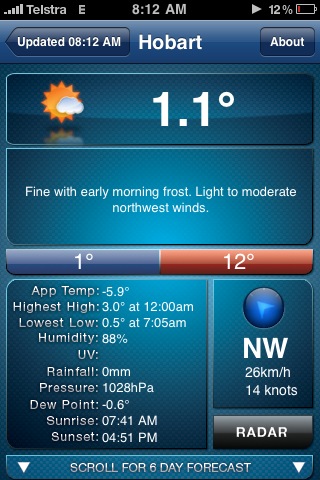
  • On this day (not today), it was cold.

    That is all.

    Posted via email from Benny’s randomly-updated Posterous

Benny Ling's Bling

Computers are like a bicycle for our minds.